
Entra Access Packages: An E5-to-E7 Deployment Plan
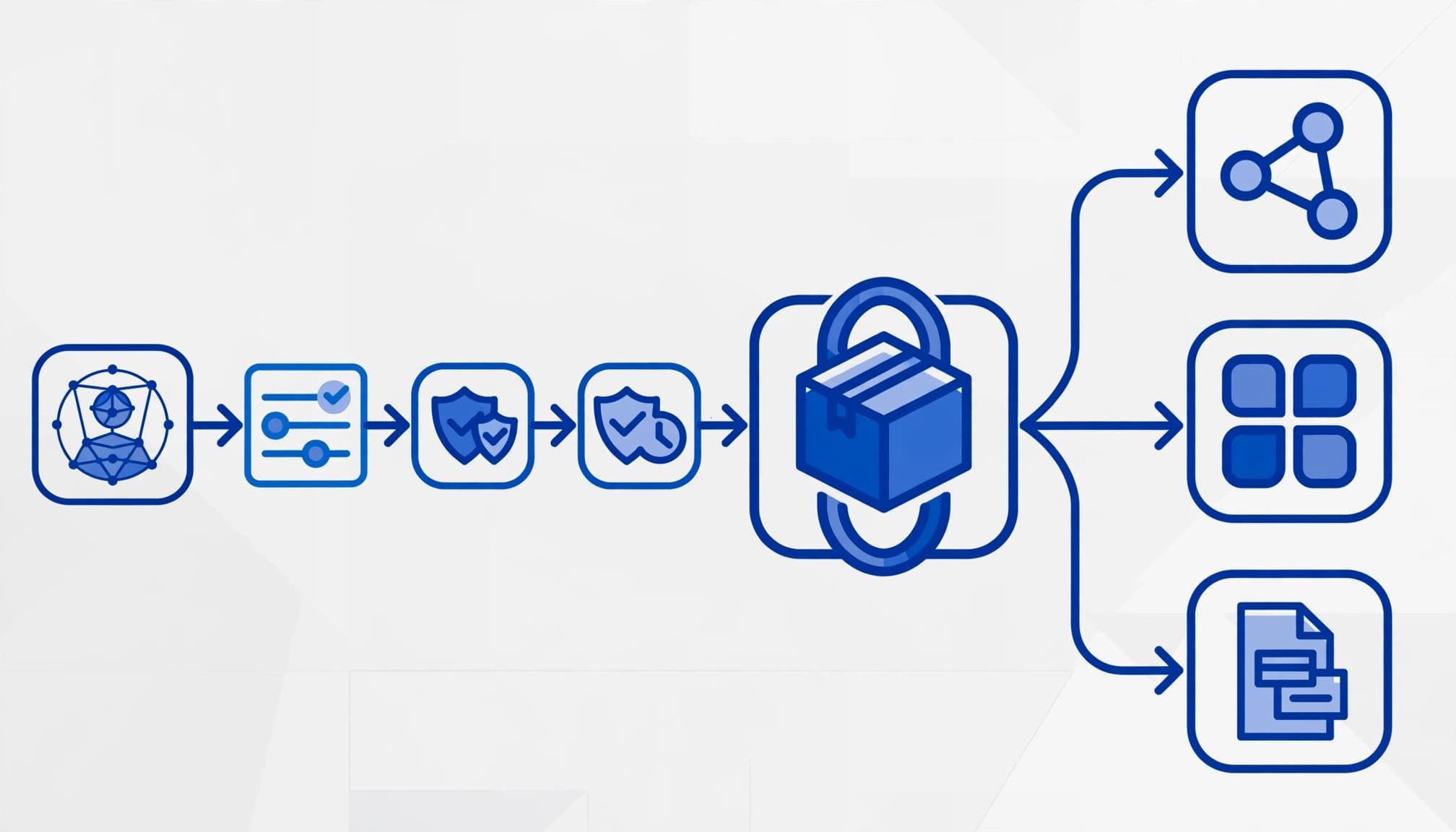
Deploy an access package against a documented access problem before treating E7 as the solution. Microsoft 365 E5 already supplies Microsoft Entra ID P2 capabilities; a broader subscription does not configure approvals, remove stale permissions, or establish ownership.
I start with the business resource, the person authorized to approve access, and the evidence required when access ends. That makes tested removal a deployment requirement rather than an assumption. Establish the licensing baseline first, then build the request path.
Key takeaways
An E5-to-E7 move should extend an established governance process, not replace one. Catalogs need accountable owners, packages need limited resource roles, and policies need working approval and expiration paths.
I would hold production rollout until an ordinary requester can obtain approved access, lose it on schedule, and leave a usable record of both actions.
1. Establish the E5 licensing baseline
Document license requirements against the stated baseline: Microsoft 365 E5, not E3 or E5 plus standalone Microsoft 365 Copilot. E5 includes Microsoft Entra ID P2. Standalone Copilot does not add entitlement-management rights.
Microsoft announced Microsoft 365 E7 on March 9, 2026. Its inclusion of Microsoft Entra Suite broadens the identity offering, but basic access-package deployment does not require an E7 purchase.
Use these distinctions for the November 2026 deployment plan.
| Licensing baseline | Access-package planning implication |
|---|---|
| Microsoft Entra ID Free or P1 | Does not include entitlement management. |
| Microsoft Entra ID P2 | Supports basic entitlement management. |
| Microsoft 365 E5 | Includes Microsoft Entra ID P2. |
| Enterprise Mobility + Security E5 | Includes Microsoft Entra ID P2. |
| Microsoft Entra ID Governance or Entra Suite | Adds governance capabilities beyond the P2 baseline. |
| Microsoft 365 E7 | Includes Entra Suite alongside the broader subscription. |
License the employees benefiting from governed access, not only administrators configuring it. Document external-user coverage separately; guest governance uses monthly active user billing tied to an Azure subscription.
This plan uses generally available (GA) entitlement management and access packages. Preview features are outside scope. I use E5-to-E7 security control mapping to separate existing rights from capabilities that justify additional licensing.
2. Build Entra access packages around ownership
Open ID Governance > Entitlement management > Access packages in the Microsoft Entra admin center. Microsoft's access-package creation documentation follows this configuration sequence.
Create the catalog and package
Use an Identity Governance Administrator, catalog owner, or delegated access package manager with the required permissions. Routine package administration does not justify routine Global Administrator use.
The default catalog is General. It works for a controlled pilot, but production catalogs should follow business ownership boundaries. Name a business owner, a technical owner, and a review cadence before adding resources.
Create the access package with a description that tells requesters what work the access permits. A group name alone is not a business justification.
Add resources and select roles
Supported resources include a security group or team, enterprise applications, and SharePoint sites in SharePoint Online. When you select a group not already in General, Entra adds it to that catalog automatically.
Choose Member for ordinary resource access. Owner permits membership administration, including adding or removing members or owners. Treat that as delegated administration.
Review the underlying permissions before bundling them. Teams membership does not describe every SharePoint permission, private-channel entitlement, or application-native role. Record those dependencies in the package design.
3. Configure eligibility, approvals, and questions
Set who can request access
The request policy's Who can request access setting offers three paths: users in your directory, users outside your directory through connected organizations, or None for administrator-only direct assignment. Choose the path that defines who may submit a self-service request.
An auto assignment policy grants access based on defined user attributes. It's separate from a user-submitted request and doesn't follow the request approval workflow.
I separate employee and external-user policies when their sponsors, durations, or approval requirements differ. A single package can support different policies without pretending every requester has the same business relationship.
For external requests, enable the catalog for external users and scope the policy to the intended connected organization. Guest onboarding doesn't require broad directory visibility. Keep discovery and resource access restricted.
Build approval stages and capture justification
Configure one to three sequential stages in a multi-stage approval. Each stage must approve before access is granted, and the stages should match distinct decision responsibilities. A rejection terminates the request. Multiple eligible approvers within one stage provide coverage, not necessarily unanimous approval.
Approver choices include manager, internal sponsor, external sponsor, and selected specific approvers. Manager approval depends on the user account's Manager attribute. Set fallback approvers where manager or sponsor resolution can fail, and assign people who can refuse the request.
Set the approval deadline and alternate-approver behavior deliberately. An unanswered request must not become an informal grant.
Then configure requestor information. Questions support short text, long text, and multiple choice, with localization. Ask for the business purpose and the project or work authorization. Avoid collecting sensitive information that the approval record doesn't need.
4. Set expiration and control external access
Bound the assignment and extension path
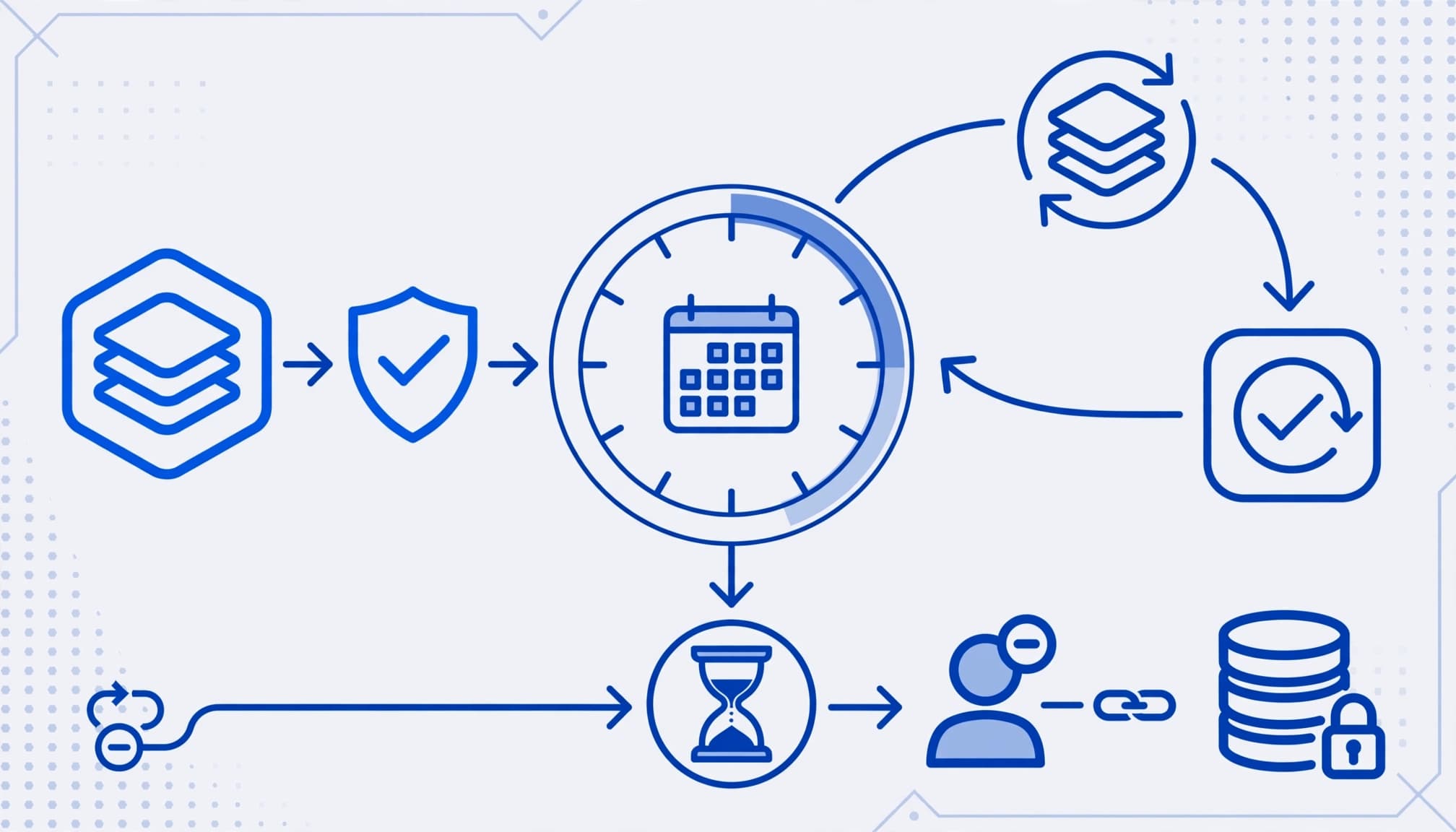
Assignments can expire after a number of days or hours, on a fixed date, or never. For a 30-day package, select expiration after a number of days and enter 30.
I reserve non-expiring assignments for access with a documented continuing purpose and a separate review obligation. An employee's permanent position doesn't justify every permission remaining permanent.
Enable extensions only where the business process needs them, and treat expiration, extension, and required reapproval as parts of the assignment lifecycle. Require approval again when users request continued access. Use an access review when ongoing certification is required; initial approval and later review answer different questions.
Separate discovery from authorization
Copy the My Access portal link from the package Overview. Setting a package to hidden removes it from normal My Access discovery, so requesters need the direct link. Hiding doesn't replace eligibility restrictions or approval.
For a new external identity, direct assignment using an email address creates a guest account and sends an invitation to that address. Treat this as an administrative provisioning path, not evidence that the normal requester approval process ran.
Configure guest accounts to be blocked or removed after the final package assignment ends. Microsoft's external-user governance documentation distinguishes package expiration from guest-account lifecycle. Account deletion must respect other approved business relationships.
If a workflow relies on Microsoft Entra Verified ID credentials, document credential verification separately. A guest invitation or package assignment doesn't verify a credential.
5. Validate provisioning, removal, and evidence
Test as a requester and approver
Run the pilot with ordinary accounts, not only the administrator who built the package. Test an eligible employee, an eligible guest, an ineligible requester, and an approver rejection.
Inspect the assignment status, group membership, application access, and SharePoint access. Microsoft documents how to inspect and remove assignments; a successful request alone doesn't prove downstream provisioning completed.
Test missing Manager data and unavailable approvers. Keep the pilot closed until fallback routing works and rejected requests leave the requester without protected access.
Prove that expiration removes effective access
Use a short-lived pilot assignment to test the full lifecycle, from request and grant through effective access removal. Then inspect direct group memberships, application-native permissions, and other packages that could preserve access.
Package expiration can't remove an unrelated grant. Permission cleanup is part of the deployment, not a separate task.
Retain the request, justification, approval, assignment, review, and removal records under your evidence-retention requirements. Endpoint security, device hardening, and Conditional Access remain separate controls. Introduce related Conditional Access changes in report-only mode before enforcement, and test monitored emergency access accounts after policy changes.
Define the engagement and its stopping point
I would scope this work around an entitlement inventory, licensing map, ownership matrix, and one production-ready pilot. The assessment should inspect existing groups, application assignments, SharePoint permissions, guests, approval dependencies, and removal behavior.
The handoff should include catalog and policy settings, test evidence, unresolved exceptions, and an operating runbook. Your team should know who changes a package, who approves an exception, and who investigates failed removal. That is concrete technology consulting, whether the environment supports small business IT or enterprise cloud management.
Our Microsoft 365 migration and licensing services can support that readiness and licensing work without making a subscription upgrade the predetermined outcome.
This engagement is not worth expanding into a broad E7 program when P2 already covers the required control and your team can operate it. A small, stable access model may need documented ownership and targeted remediation instead.
Frequently asked questions
Can E5 deploy access packages without E7?
Yes. Microsoft 365 E5 includes Microsoft Entra ID P2, which supports basic entitlement management. Microsoft Entra ID Governance and Entra Suite add capabilities beyond that baseline. Select the required capability before selecting the subscription.
Does approval require every listed approver?
Each sequential stage must approve. Within a stage, multiple designated approvers generally provide alternative people who can decide. A rejection ends the request without granting access. Configure coverage without creating an approval chain nobody can finish.
Why can access remain after package expiration?
The user may retain access through another package, direct membership, application-native permissions, or another resource grant. Review effective permissions after expiration. A completed assignment lifecycle is useful evidence, but it does not prove every independent access path has disappeared.
Make the package supportable before expanding
Entra access packages earn their place when the request, decision, duration, and removal are all demonstrable. The governing standard is effective access, not the number of packages deployed.
Book a free 30-minute call to scope a licensing and access-package readiness review.