
E5-to-E7 Defender XDR Deployment Assessment
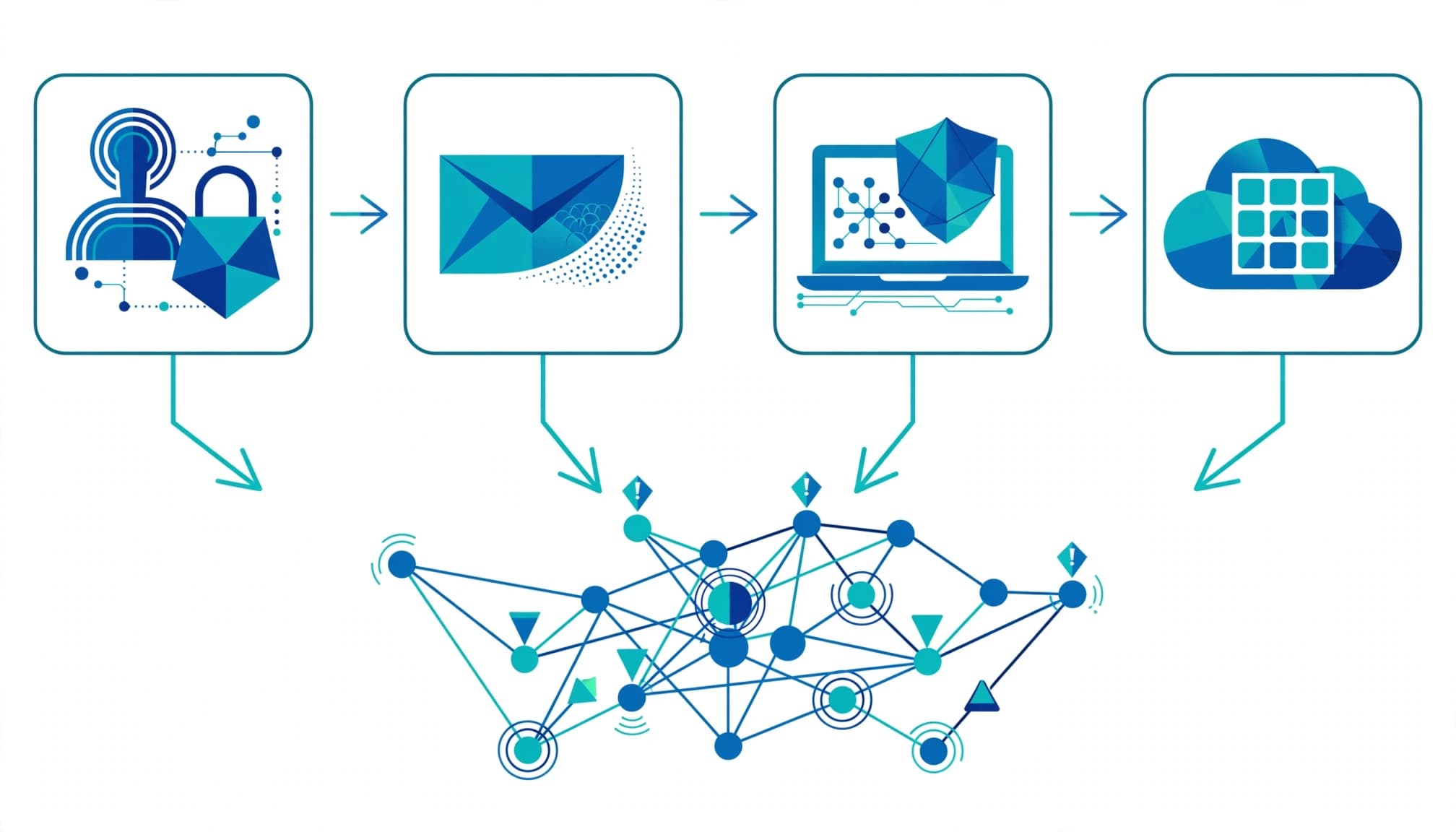
Assess the Defender controls you already own before approving an E7 upgrade. I treat a Defender XDR deployment assessment as a security assessment of coverage, policy state, and response ownership, with Microsoft 365 E5 as the baseline.
If you already have E5 plus standalone Microsoft 365 Copilot, record that separately. The business case depends on what changes, not which bundle looks more complete. Start with evidence your security lead can defend during an insurance renewal or outage.
Key takeaways
An E7 upgrade does not configure existing Defender services. Establish the licensing baseline, pilot against production traffic, and require evidence before expanding enforcement.
The assessment should leave you with a coverage inventory, tested controls, named response owners, and a written decision about which gaps require additional licensing.
Establish the E5 baseline before approving E7
Separate incomplete setup from missing entitlement. Microsoft 365 E5 already includes Microsoft Defender for Identity, Microsoft Defender for Office 365 Plan 2, Microsoft Defender for Endpoint Plan 2, and Microsoft Defender for Cloud Apps. Microsoft's supported-services licensing guidance establishes the service baseline.
Microsoft 365 E7 combines E5, Microsoft 365 Copilot, Microsoft Entra Suite, and Microsoft Agent 365. Agent 365 is a governance and control plane, not an agent runtime. E7 and Agent 365 reached general availability on May 1, 2026; individual preview capabilities remain outside committed acceptance criteria.
Microsoft's published U.S. E7 list price is $99/user/month, paid yearly. That covers licensing only; Azure compute, model, and message consumption bill separately.
I reconcile assigned subscriptions, enabled service plans, existing security products, and actual coverage before proposing changes. Our E5-to-E7 security control mapping connects that inventory to testable controls.
Keep other baselines separate. Microsoft 365 E3 includes Defender for Endpoint Plan 1, not Plan 2. Office 365 E3 is different again. Business Premium includes Defender for Business and Defender for Office 365 Plan 1, not the complete E5 stack. Those differences change the assessment scope.
Set the Defender XDR deployment pilot gates
Use the existing production tenant. Microsoft's pilot and deployment guidance, updated November 2, 2026, recommends production because it exposes real threats. An isolated trial has little representative traffic, and its settings do not transfer into production.
Microsoft's recommended sequence is Defender for Identity, Defender for Office 365, Defender for Endpoint, Defender for Cloud Apps, then incident investigation practice. The sequence reflects typical deployment effort. Office 365 protection can be configured faster than an endpoint estate can be enrolled.
I start with IT and a representative business cohort. Record policy assignments, exclusions, rollback steps, and the person authorized to approve enforcement. Tune pilot policies against the selected cohort before expanding enforcement. Tenant-wide settings need separate approval because a pilot group does not contain their impact.
Microsoft documents the trial route in the Microsoft 365 admin center as Purchase Services, Office 365 E5, Details, Start free trial. Retaining settings requires purchasing equivalent entitlements. The Office 365 E5 trial route does not establish which service plans Microsoft 365 E5 trial licenses provide.
Setup guides are available in the authenticated Microsoft 365 admin center and the publicly accessible Microsoft 365 Setup portal, although individual steps can require sign-in.
Deploy Microsoft Defender for Identity
Assess directory dependencies first
Inventory Active Directory Domain Services domain controllers and Active Directory Federation Services servers before installing sensors. Defender for Identity uses their signals to detect compromised identities and malicious insider activity. A cloud-only directory needs a different assessment.
I record server operating systems, sensor versions, outbound connectivity, auditing configuration, and the service-account design. Sensor generations have different prerequisites. The high-level deployment sequence does not override a sensor's technical dependencies. Document the supported installation route for each server.
Accept healthy telemetry, not installed software
Use Settings > Identities > Sensors in the Microsoft Defender portal to review sensor status and health issues. Compare reporting servers with the directory inventory. Resolve missing coverage and auditing failures before calling the identity component complete.
Microsoft's identity pilot guidance provides the deployment sequence. My acceptance record includes sensor health, directory coverage, approved evaluation results, and the operator responsible for identity alerts. An installer exit code proves very little about detection readiness.
Configure Microsoft Defender for Office 365
Review mail flow before changing protection
Map inbound connectors, third-party gateways, transport rules, shared mailboxes, and applications that send mail. An Office 365 migration can leave exceptions that continue bypassing inspection long after the project closes. Give every retained exception an owner and review date.
In the Microsoft Defender portal, open Email & collaboration > Policies & rules > Threat policies. Review preset security policies, anti-phishing protection, Safe Links, and Safe Attachments. Apply Standard or Strict protection as the threat protection baseline, and record pilot recipients and exclusions.
Test policy application and quarantine handling
Safe Attachments tests attachments for malicious content. Built-in protection supplies baseline attachment coverage, but test threat protection for intended recipients to confirm the configured policy applies.
Exchange Online's built-in protections and transport rules have different jobs. Don't treat a transport-rule inventory as proof of phishing protection. Review rule precedence, bypass settings, quarantine permissions, and release procedures.
I require message-trace evidence, policy application evidence, and an approved evaluation result. The messaging owner signs off that legitimate mail still arrives and quarantined content follows the documented release process.
Onboard Microsoft Defender for Endpoint

Establish licensing and onboarding prerequisites
Defender for Endpoint Plan 2 provides endpoint protection, post-breach detection, automated investigation, and response capabilities. Assess supported operating systems, network connectivity, existing antivirus behavior, management authority, and server licensing against Microsoft's minimum requirements.
The setup-guide table references Microsoft Volume Licensing. Use the actual subscription entitlement to establish eligibility rather than treating that procurement label as the entire licensing rule. Microsoft 365 E5 user licensing does not automatically license every server. Keep servers and user devices in separate coverage records.
Prove device coverage and response
Use Settings > Endpoints > Onboarding in the Microsoft Defender portal to select the operating system and deployment method. For Intune-managed Windows devices, configure the onboarding policy under Endpoint security > Endpoint detection and response.
I reconcile reporting devices against the managed-device inventory, then review sensor health, device timelines, and approved detection-test results. Test response permissions before granting an operator authority to isolate business-critical devices.
Endpoint security also requires device hardening standards. Review local administrators, encryption, patching, and attack surface reduction rules. Tune endpoint policies together, since onboarding alone doesn't resolve policy conflicts.
Connect cloud apps and prove incident response
Connect Microsoft Defender for Cloud Apps to the approved application estate. Inventory connected applications, connector permissions, discovered services, and the people authorized to approve new integrations. Cloud discovery and session controls need separate configuration and acceptance evidence.
Microsoft's Cloud Apps deployment guidance describes the rollout. Conditional Access App Control also requires Microsoft Entra ID P1 for affected users. Pilot session restrictions against real browser workflows before applying them broadly. A control that prevents legitimate downloads can create an immediate productivity problem.
Then test the investigation path. Defender XDR correlates related identity, endpoint, email, and cloud-app alerts into incidents with shared entities and evidence. Correlation quality still depends on the signals you supply.
I require an approved monitoring and response exercise that demonstrates ownership, investigation, containment authority, and closure evidence. Record who responds outside business hours and who can approve disruptive action. Purview governs data protection; Defender detection doesn't replace sensitivity labels, retention, or data loss prevention.
Define the assessment scope and handover
Separate assessment, implementation, and ongoing monitoring in the statement of work. They require different access, acceptance criteria, and operating responsibilities.
Define the tenant scope, access, assumptions, and deliverables before requesting fixed pricing. Compare Defender XDR Accelerate's documented scope and acceptance criteria with the proposed assessment. Don't assume either includes ongoing monitoring.
I use these boundaries when comparing internal delivery with outside help.
| Engagement | Work performed | Required handover |
|---|---|---|
| Read-only assessment | Review licensing, coverage, policies, integrations, and ownership. | Evidence-backed findings and a prioritized remediation plan. |
| Deployment and tuning | Configure approved controls, pilot changes, and test response. | Configuration records, test results, exceptions, and rollback procedures. |
| Ongoing monitoring | Triage alerts and execute agreed escalation procedures. | Response records, service boundaries, and recurring coverage reviews. |
A deployment engagement doesn't establish continuous monitoring unless the agreement includes it.
The final package should identify affected users and devices, unresolved dependencies, exception owners, and the person accepting each residual risk. I also require a licensing decision record that distinguishes E5 remediation from E7-specific requirements.
A broad E7 assessment isn't worthwhile when the immediate problem is incomplete E5 onboarding and nobody plans to use the added capabilities. Commission targeted remediation instead. Outside help earns its place when the team lacks implementation capacity, specialist engineering, or an independent acceptance review. Our co-managed work supports the client's operators with defined scopes, documentation, and handoffs.
Frequently asked questions
Is Microsoft Defender an EDR or XDR product?
Microsoft Defender for Endpoint supplies endpoint detection and response. Microsoft Defender XDR correlates multiple security workloads. Assessing only endpoint coverage leaves identity, email, and cloud-app coverage unresolved.
Does Defender XDR replace Microsoft Sentinel?
Microsoft Sentinel provides SIEM and SOAR capabilities across broader data sources. Its supported data connectors include Defender XDR. For another SIEM, document its SIEM integration, including supported connectors or APIs, event scope, and incident ownership.
Where does Microsoft Entra ID Protection fit?
Microsoft Entra ID Protection evaluates identity risk using signals across billions of sign-in attempts. It is a separate Entra capability; full investigation and risk-based policy capabilities require Entra ID P2. Include it in the identity workstream rather than assuming a Defender sensor configures it.
Approve expansion against evidence
An E5-to-E7 decision should follow demonstrated coverage, tested response, and documented ownership. Keep preview capabilities outside the committed case, and leave E7 seats unassigned where the additional capabilities have no defined use.
Book a free 30-minute call to scope a Defender XDR readiness assessment or licensing review.