
E7 Windows Endpoint Hardening Sprint for Intune Admins

An insurance questionnaire is a poor time to discover that your endpoint controls exist in policy but aren’t enforced. Windows endpoint hardening should reduce that uncertainty without creating downtime or a backlog of application failures.
I approach the E7 sprint as a bounded engagement: assess your Intune estate, implement approved changes, validate business workflows, and transfer ownership. The commercial goal is verified protection, with fewer opportunities for data leakage and clearer evidence for audits and insurance renewals.
That starts with agreeing on scope and your existing licensing baseline.
Key Takeaways
- Treat endpoint hardening as a bounded engagement: define eligible devices, applications, exclusions, decision-makers, and acceptance criteria before changing policies.
- Verify the actual Intune, device, licensing, and policy state first. Microsoft 365 E3 can support foundational hardening; E5 adds licensed detection and response capabilities but doesn’t resolve configuration conflicts or incomplete onboarding automatically.
- Apply a coherent, approved baseline and stage higher-risk controls through audit mode and representative pilot testing. Expand only after critical workflows, recovery procedures, and policy application have been validated.
- Deliver evidence administrators can maintain, including coverage results, exceptions, validation findings, ownership, and a recovery runbook. Plan for ongoing patching and policy reviews after the sprint.
Define the business outcome before changing policies
My first question is which failure would hurt your business most: stolen credentials, an exposed laptop, ransomware, or disrupted operations. Those priorities determine the sequence.
For a ready, cloud-managed estate, I recommend a ten-business-day starting plan. Assessment and design come first, followed by pilot implementation, validation, and handoff. Application failures or disconnected devices can extend that schedule.
The statement of work should name eligible Windows devices, deployment groups, critical applications, exclusions, and decision-makers. Shared workstations need different treatment from executive laptops or developer machines.
I keep Windows Server, mobile devices, cloud infrastructure, and data center technology outside the endpoint sprint unless explicitly included. An Office 365 migration or identity redesign also needs its own scope.
For small business IT teams, this boundary cuts admin overhead and avoids open-ended infrastructure work. It also gives executives a clear acceptance point.
Compare value against Microsoft 365 E3 or E5
I use Microsoft 365 E3 as the starting licensing baseline, then compare the incremental value for organizations already on E5. Office 365 E3 isn’t the same subscription.
The distinction changes what the sprint can validate.
| Existing baseline | Relevant included capabilities | Sprint emphasis |
|---|---|---|
| Microsoft 365 E3 | Intune Plan 1 and Defender for Endpoint Plan 1 | Configuration enforcement, prevention, coverage, and operating procedures |
| Microsoft 365 E5 | Intune Plan 1 and Defender for Endpoint Plan 2 | The same hardening work, plus licensed EDR, vulnerability visibility, and response validation |
Microsoft’s enterprise subscription comparison is the reference point; I also review your Microsoft Intune configuration, subscriptions, assignments, and add-ons.
E5 adds detection and response capabilities, but it doesn’t automatically correct conflicting policies or incomplete onboarding. Meanwhile, E3 organizations shouldn’t buy E5 simply to implement basic device hardening.
Licensing advisory should identify unused subscriptions and genuine capability gaps. The value case depends on what you already own, what you use, and who will operate it after handoff.
What the Windows endpoint hardening assessment covers

Establish the actual device and policy state
I review enrollment, ownership, Windows editions and support status, recent check-ins, encryption, Defender onboarding, and local administrator membership. Unsupported Windows releases need a support or replacement decision before baseline tuning.
Next, I compare Intune security baselines, Settings Catalog profiles, endpoint security policies, scripts, and existing Group Policy. Hybrid identity environments also need ownership checks across Active Directory and Microsoft Entra ID.
The deliverable is a device coverage report and policy inventory. Each finding identifies affected devices, business exposure, and the responsible owner.
Identify operational dependencies and exceptions
Policy design needs application evidence. I review VPN clients, accounting software, remote support tools, printing, file shares, and workflows that require elevated privileges.
For specialized operations, the pilot must include the Windows devices supporting those workflows. Restaurant POS support, for example, can involve peripherals and vendor access that ordinary office testing misses.
I record exceptions with a business justification, compensating protection, owner, and review date. This makes tailored technology services measurable: the configuration fits your operations without turning every legacy dependency into a permanent exemption.
Implement a coherent baseline and attack prevention
Choose one baseline strategy
Microsoft security baselines are a practical starting point for an Intune-managed fleet. CIS benchmarks provide a separate assessment framework, but I don’t apply every recommendation without checking its applicability and potential conflicts.
Microsoft’s Intune security baseline guidance describes recommended configurations and warns against using preview baselines in production.
I use generally available (GA) capabilities for the production scope. Preview features require separate approval and testing.
Approved threat protection controls may include Defender Antivirus settings, firewall profiles, SmartScreen, and selected Settings Catalog controls. Each setting should have one intentional management source. Overlapping profiles or Group Policy settings make troubleshooting and future policy updates harder.
Baseline versions also need change control. Existing profiles don’t automatically adopt a newer version.
Stage attack surface reduction rules
These attack surface reduction rules can interrupt common attack paths, but they don’t eliminate the risk of zero day threats. Examples include Office applications launching child processes or executables originating through email.
I begin selected rules in audit mode, review relevant events, and move compatible rules into enforcement after workflow testing. Microsoft’s ASR rules documentation details modes and prerequisites.
Audit mode records activity; it doesn’t block the attack.
Exceptions should stay narrow and time-bound. I also review exploit protection settings, including Control Flow Guard where applicable, rather than forcing every mitigation onto every executable. A compatibility failure that disables a revenue-critical application needs resolution before wider deployment.
Protect credentials, stored data, and network access
Reduce unnecessary privilege and credential exposure
I assess standard-user operation, privileged access, Windows LAPS, and Credential Guard eligibility. The objective is to limit credential theft, reduce privilege escalation risk, and remove unnecessary standing administrator access.
Credential Guard uses virtualization-based security to isolate certain secrets, but device eligibility and application compatibility still matter.
Windows LAPS policies should rotate local administrator passwords and restrict who can retrieve them. Disabling accounts without confirming a recovery path can create avoidable downtime.
I also review device compliance and conditional access dependencies. Endpoint compliance supports secure cloud architecture, but access-policy changes need separate testing to avoid locking users or administrators out.
Verify encryption and network protections
BitLocker work includes encryption state, recovery-key escrow, authorized key retrieval, and a tested recovery procedure. Microsoft’s BitLocker configuration guidance supports Intune-managed deployment.
Full disk encryption doesn’t prevent data leakage through an authenticated session. Sleep can retain encryption keys in memory, so I assess power-state behavior and startup authentication against the theft scenario.
Network security changes may include removing SMBv1, validating SMB signing, and tightening firewall rules as part of SMB hardening. I don’t disable IPv6 or discovery protocols indiscriminately. Windows dependencies and business services require evidence before removal.
Validate business workflows before expanding deployment
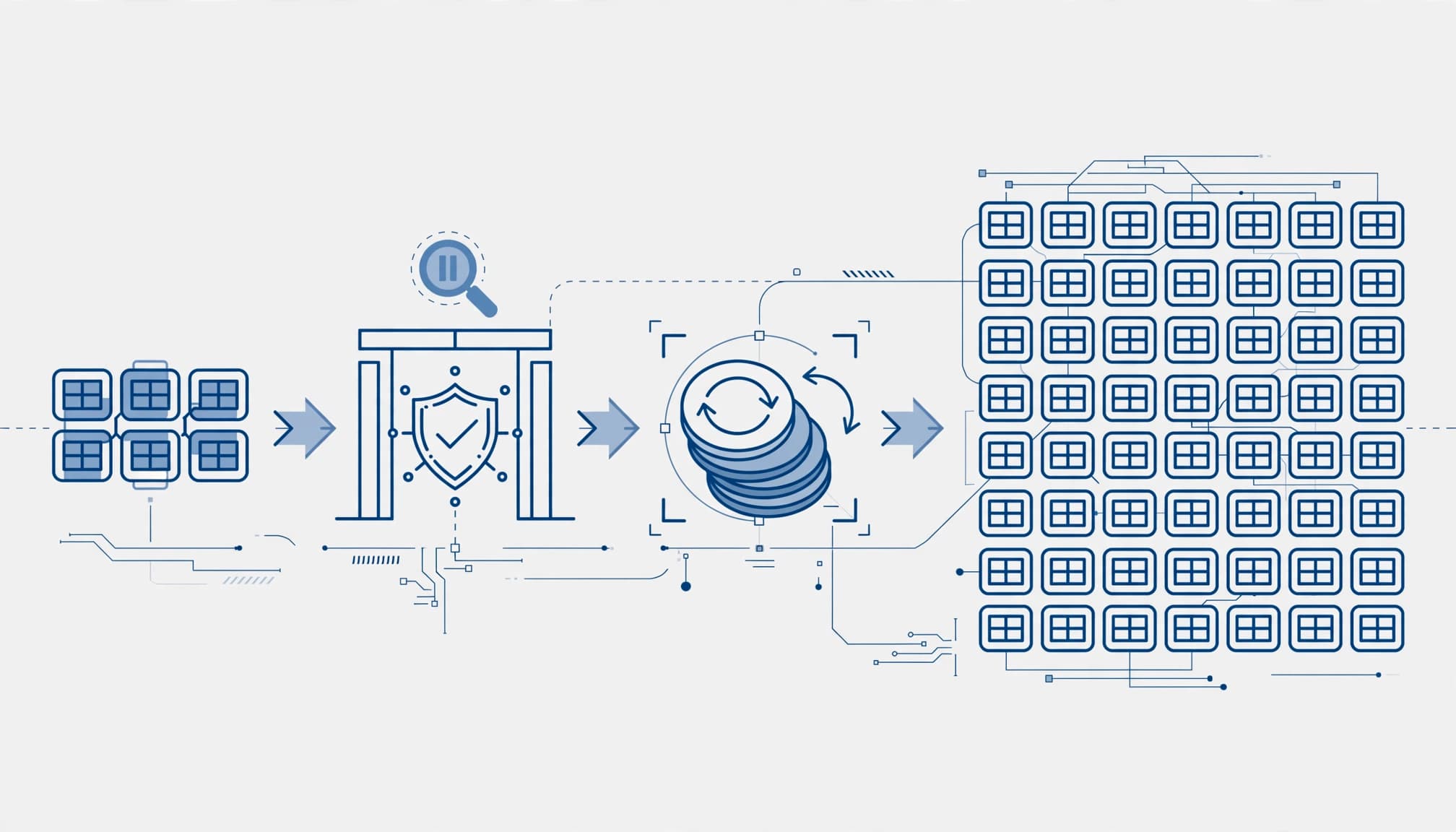
The pilot should represent hardware models, remote users, privileged workflows, and critical applications. A group made entirely of IT laptops can miss commercially important problems.
Agree on acceptance tests before implementation:
- Confirm policy application and investigate failed or conflicting settings.
- Test sign-in, VPN, printing, file access, and agreed application workflows.
- Verify encryption recovery and local administrator password retrieval with authorized staff.
- Review security incidents and support reports before approving the next deployment ring.
Intune’s success status is useful evidence, but it doesn’t prove every business workflow remains functional. I also inspect effective settings on representative endpoints.
Removing an Intune assignment isn’t a universal rollback. Some settings persist, and some changes require an explicit reversal.
Every higher-risk change needs a documented recovery method, owner, and decision threshold. Wider rollout proceeds only after the agreed checks pass. The client receives the test results, unresolved issues, and approval record.
Connect patching to evidence and ongoing ownership
Close vulnerabilities beyond Windows updates
Windows endpoint hardening loses value when exposed applications remain unpatched. I review patch management across update rings, restart behavior, overdue devices, and ownership of third-party software updates.
Windows Update policies don’t provide universal third-party patching. Automated patching depends on supported deployment tools or processes. Assess any existing WSUS dependency rather than assuming Intune covers every application.
Vulnerability management should prioritize exposed weaknesses with meaningful business impact, then verify remediation. E5’s Defender capabilities can support that work; E3 environments may need another licensed source of vulnerability visibility.
The handoff should identify who monitors failures, owns ongoing patch management, and authorizes emergency changes.
Deliver an evidence package administrators can maintain
At completion, I expect an executive risk summary, configuration register, before-and-after coverage, exception log, validation results, and prioritized remediation roadmap.
Microsoft’s security baseline monitoring documentation supports per-device and per-setting review. Those results need context, including excluded devices and unresolved conflicts.
The operating runbook should cover policy ownership, rollback, recovery access, and onboarding requirements. Existing golden images and provisioning processes must produce devices that join the approved management scope, keeping admin overhead manageable.
For ongoing cloud management or managed IT for small business, I recommend monthly security reviews, license checks, vulnerability follow-up, and policy maintenance. Secure Score trends can inform that review, but they don’t replace control evidence.
When the engagement isn’t worth it
A sprint offers limited value if your estate already has verified controls, current evidence, disciplined patching, and owners who regularly test recovery. A focused review may be enough.
During an active incident, incident response and containment should come before a hardening sprint. Major enrollment and identity failures should also be resolved first.
If the real problem is broader tenant security, endpoint changes alone won’t address external sharing, email protection, or data loss prevention. Those require separate assessment.
A credible business technology partner should say when outside help is unnecessary. Technology consulting should support your IT strategy with defined outcomes, not create recurring dependency. Those outcomes may include reducing downtime, data leakage, or productivity loss from security incidents. If ongoing cybersecurity services are needed, scope them separately from the sprint.
Frequently Asked Questions
How long does a Windows endpoint hardening sprint take?
A ready, cloud-managed estate may fit a ten-business-day starting plan covering assessment, design, pilot implementation, validation, and handoff. Application failures or disconnected devices can extend the schedule.
Is Microsoft 365 E5 required for endpoint hardening?
No. Microsoft 365 E3 includes Intune Plan 1 and Defender for Endpoint Plan 1, which can support foundational configuration and prevention work. E5 adds licensed EDR, vulnerability visibility, and response capabilities, but should be assessed against your actual needs.
How do you avoid disrupting critical applications?
I review operational dependencies and test representative devices, users, and workflows in a pilot before expanding deployment. Higher-risk settings are staged, and each change needs an agreed recovery method and decision threshold.
What evidence is delivered at the end of the sprint?
The handoff can include an executive risk summary, configuration register, device coverage results, exception log, validation findings, and prioritized remediation roadmap. An operating runbook documents policy ownership, rollback, recovery access, and onboarding requirements.
When is a hardening sprint not worthwhile?
A sprint may offer limited value if controls are already verified, evidence is current, patching is disciplined, and recovery is regularly tested. During an active incident or major enrollment or identity failure, address containment or the underlying issue first.
Start with a readiness and licensing review
The useful outcome is evidence you can operate: approved controls, tested workflows, documented exceptions, and clear ownership. That supports business continuity and security without promising that incidents will disappear.
I recommend starting with a readiness assessment against your Microsoft 365 E3 or E5 baseline. RVA Tech Visions offers a free 30-minute consultation to review your environment and priorities.
Bring your license inventory, Microsoft Intune policy list, and critical application concerns. Those provide a practical basis for deciding whether a sprint is worth the investment.