
E5 Plus Copilot: A Rollout Change Plan for IT Operators

Buying Copilot licenses is easy; proving they won’t amplify data leakage or waste employee time takes preparation. I plan a Microsoft 365 Copilot rollout around business readiness, with explicit decisions about access, investment, support, and measurable outcomes.
For IT leaders administering Microsoft 365, a readiness assessment is the evidence-led starting point for a digital transformation initiative. Outside help should deliver an executable plan covering change management, access, investment, a SharePoint permissions audit, measurable outcomes, and approval ownership.
Set the Microsoft 365 Copilot rollout boundary

Assess the tenant and operational dependencies
The readiness assessment covers technical prerequisites across identity, licensing, SharePoint permissions, OneDrive, Exchange Online, Teams, Microsoft 365 Apps, and network access. It includes a SharePoint permissions audit, data governance, security requirements, Conditional Access, guest access, privileged roles, endpoint security, and device hardening.
Also identify pending Office 365 migration work, hybrid identity dependencies, and business-critical change freezes. Combining migration cutover with Copilot activation makes troubleshooting harder and increases productivity loss.
Keep commercial and government-cloud environments separate in the assessment. Don’t assume identical licensing, feature availability, or deployment paths.
Deliver decisions that executives can approve
The assessment should produce a license inventory, prioritized findings from the SharePoint permissions audit, accountable remediation owners, and a deployment decision log. Each finding needs evidence, business impact, and an acceptance criterion so owners can make evidence-based remediation decisions.
I also require a workload map naming the teams, documents, and applications in scope. Executives should see which workflows justify investment and which risks block activation.
For a lean small-business IT team or an enterprise operator, the outcome is the same: a defensible go/no-go decision.
Compare E3, E5, and E5 plus standalone Copilot
“E5 plus Copilot” is a deployment description here, not a verified SKU called “E5 Plus.” I compare the organization’s actual subscription baseline before recommending changes.
These are the three relevant starting points:
| Baseline | Licensing position | Decision to make |
|---|---|---|
| Microsoft 365 E3 | Qualifying base plan; Copilot is separate | Identify required security and governance additions |
| Microsoft 365 E5 | Qualifying base plan; Copilot is separate | Activate and validate existing control entitlements |
| E5 plus standalone Copilot | Base plan and Copilot add-on | Optimize assignments and prove business value |
Microsoft’s Copilot licensing requirements confirm qualifying plans. E5 ownership alone doesn’t establish Copilot readiness.
The standard enterprise Copilot add-on is US$30/user/month, paid yearly, with a separate qualifying subscription. For a quoted $99/user/month option, that amount covers licensing only; Azure compute, model, and message consumption are billed separately.
Keep those billing categories distinct. A license comparison should identify overlapping subscriptions, renewal commitments, unused seats, and consumption-dependent services.
My deliverable is a role-based licensing recommendation with procurement assumptions and exclusions. Avoid buying every employee an add-on before testing the work that supports the purchase.
Close permissions and security gaps before activation
Audit access where leakage would hurt most
Copilot follows existing Microsoft 365 permissions. Therefore, excessive access can make confidential information easier to discover without creating a new access entitlement.
I prioritize executive compensation, customer agreements, financial forecasts, and personnel records in a SharePoint permissions audit. Review broad SharePoint groups, sharing links, guest accounts, inherited permissions, and sites without accountable owners.
Microsoft’s secure data foundation guidance supports identifying overshared sites and correcting access before expansion.
A successful permissions test proves that an unauthorized user cannot retrieve sensitive content, even when an authorized user can.
Validate identity, protection, and audit evidence
Use Microsoft Entra ID to control identity and access. Use Microsoft Purview for applicable information protection, data loss prevention, auditing, and retention requirements.
I test controls with representative accounts and document results. Sensitivity labels need correct configuration and coverage; labels alone don’t prove effective protection.
Deliverables should include a SharePoint permissions audit, remediation register, policy changes, test evidence, and unresolved exceptions. Translate findings into commercial consequences, including data oversharing, data privacy risks, and unmet security requirements. These can lead to customer disputes, audit findings, and insurance renewal questions.
Coordinate this work with existing cybersecurity services and incident response procedures. A Copilot assessment should strengthen business continuity and security without introducing overlapping policies or avoidable access disruption. The handover should include a SharePoint permissions audit with test evidence, open exceptions, and accountable owners.
Keep Agent 365 governance separate from execution
Microsoft Agent 365 is a governance and control plane, not an agent runtime. It provides centralized agent oversight, while data governance covers the controls and policies that govern organizational data.
Microsoft’s announcement of Agent 365 general availability for commercial customers also introduced capabilities that were still in preview.
I track status at the individual capability level. Agent 365’s GA status doesn’t make every associated integration GA. Reconfirm preview capabilities before approving them for production use.
For agent-related scope, provide an inventory of owners, permissions, connected systems, execution platforms, and billing dependencies. Keep preview-only capabilities in a separately approved test scope.
Pilot real work, then expand in waves
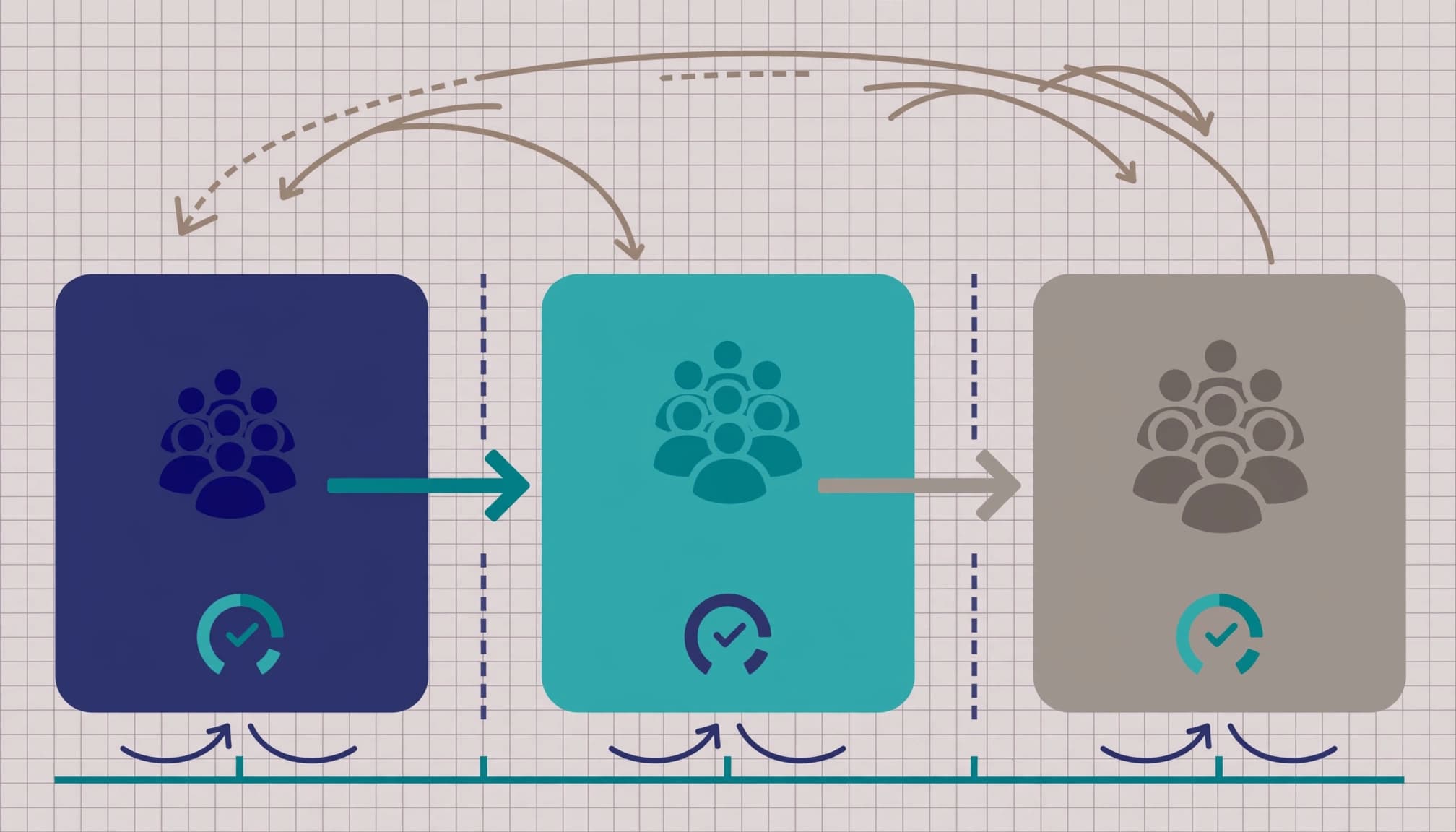
Select users by workflow and support capacity
Microsoft recommends a selected pilot, not a universal cohort size. For an enterprise deployment, I choose participants based on distinct workflows, representative access patterns, and available support capacity.
Treat this pilot deployment as a test cohort, aligned with business priorities and the digital transformation roadmap. Volunteers alone can produce an overly positive adoption picture, so include business owners, skeptical users, and people who regularly handle the target work.
Check technical prerequisites against Microsoft’s Copilot setup guidance, including network requirements, Conditional Access, and supported Microsoft 365 Apps channels. Complete a SharePoint permissions audit before activating the cohort.
A clear change management plan should document approved tasks, quality checks, escalation routes, and fallback processes.
Make expansion conditional on evidence
I favor a phased rollout as the deployment strategy because each wave creates a decision point. A big bang deployment can suit a prepared tenant, but it concentrates training and support demand.
Build user enablement around task-specific prompting and practical prompt engineering. For Teams meeting summaries, request decisions, accountable owners, unresolved issues, and references to the meeting content. Require users to verify outputs before distribution.
Expand only after permission tests pass, users demonstrate acceptable output quality, and support demand remains manageable. The pilot deployment report should summarize findings and recommend whether to expand, remediate, or pause.
Track feature availability and manage change
License assignment, application visibility, and successful feature use are different states. I track them separately in an operational register.
For each cohort, record the assigned license, application version, update channel, policy scope, expected feature, test result, and observation date. Name the operator responsible for resolving exceptions.
A successful test confirms observed availability at that moment. It doesn’t prove every service-side capability is available to every licensed user.
Keep the Microsoft 365 Copilot rollout register alongside release communications, service health checks, and helpdesk records. Refresh tests when Microsoft changes a relevant capability.
A phased rollout moves employees between cohorts with clear decision points, unlike a big bang deployment. During mixed-cohort operation, maintain one authoritative work process so licensed and unlicensed employees can access approved deliverables. Avoid making Copilot-generated content an undocumented dependency.
Connect user notices and the change management record to the deployment strategy. Name the owner, escalation path, stop conditions, and fallback procedure. If activation pauses, remove relevant assignments or disable applicable functionality. Previously generated or shared outputs still require normal handling.
Measure business value and hand over operations
Measure useful work alongside usage
Adoption reporting can show activity, but activity alone doesn’t establish return on investment. I pair usage measures with business outcomes.
For each approved task, capture baseline completion time, output quality, review effort, and rework. Repeat these measures during the pilot to assess productivity gains and user adoption.
Separate recovered capacity from cash savings. Time saved doesn’t automatically reduce payroll, and employees may spend some of it checking outputs.
Microsoft Purview guidance, including Purview considerations for Copilot, also helps define how security, data privacy, and audit requirements affect operational monitoring.
Deliver an operating model, not another dashboard
The handover should include reporting definitions, license assignment rules, joiner/mover/leaver procedures, support ownership, and a review schedule.
I include failed-task rates and security exceptions alongside adoption. Otherwise, a high usage figure can hide poor output quality or excessive review time.
Cloud management teams need a backlog they can act on. Business leaders need a concise account of useful outcomes, unresolved exposure, and the next expansion decision.
These deliverables make technology consulting accountable after launch.
Key takeaways for rollout approval
- Compare the actual E3, E5, or E5 plus standalone Copilot baseline before recommending purchases.
- Require permissions evidence and pilot outcomes before expanding access.
- Track observed feature availability separately from license assignment, then hand over named operational ownership.
When outside help isn’t worth the spend
An engagement adds little value if your internal team already has a current SharePoint permissions audit, licensing analysis, tested controls, and an effective adoption program.
Similarly, don’t fund a big bang deployment when business owners cannot identify repeatable tasks worth improving. A smaller licensing review may be enough.
I recommend outside support when ownership is unclear, a readiness assessment shows access remediation spans departments, or deployment competes with daily operations. RVA Tech Visions can scope Microsoft 365 assessment, licensing advisory, security hardening, and ongoing management around those gaps.
The scope should name deliverables and exclusions before work starts. Avoid an open-ended digital transformation program.
Common Copilot rollout questions
How long should an enterprise deployment take?
Microsoft doesn’t prescribe a fixed completion time. Tenant condition, permissions remediation, procurement, training capacity, and business change windows determine the schedule.
I build milestone dates after assessment. Technical readiness, pilot acceptance, and support capacity should govern expansion rather than an arbitrary launch deadline.
Does E5 remove the need for readiness work?
No. E5 provides relevant entitlements, but operators still need to configure controls, correct access, and validate outcomes. The Copilot add-on is separate.
An E5 tenant with broad sharing permissions can still expose commercially sensitive material to employees who already have excessive access.
What should the readiness assessment deliver?
Expect an executive decision brief, license comparison, risk register, remediation priorities, pilot design, and operating handover requirements.
Each deliverable should identify an owner and acceptance criteria. That lets your team execute the plan internally or request targeted implementation support.
Start with a Readiness Decision
I recommend approving Copilot expansion when your team can demonstrate controlled access and useful business outcomes. Evidence before expansion protects the investment and gives operators clear authority to pause.
A low-pressure Microsoft 365 readiness assessment or licensing review with RVA Tech Visions can identify the next decision. You should leave with a defined scope and a clear view of what your internal team can handle.