
E7 Readiness: Harden the E5 macOS Estate First

Review the Mac estate before approving the E7 upgrade. I treat E7 readiness as an evidence review: identify which devices can reach business data, prove their controls work, and assign responsibility for every exception.
An E5 license already provides substantial security capability, but purchasing another tier does not repair incomplete enrollment or excessive permissions. Start with the controls that prevent data leakage, downtime, and avoidable audit findings.
What E7 adds to an E5 baseline
Microsoft 365 E7, The Frontier Suite, bundles Microsoft 365 E5, Microsoft 365 Copilot, Microsoft Entra Suite, and Microsoft Agent 365. Microsoft announced that E7 and Agent 365 reached general availability on May 1, 2026, in its general availability announcement.
E7 becomes the top enterprise suite without making E5 an inadequate security baseline. For an E5 organization, Microsoft 365 E7 adds Copilot use, broader identity controls, and agent governance. For E5 plus standalone Copilot, the remaining question is whether Entra Suite and Agent 365 address documented requirements. Assess Security Copilot separately from Microsoft 365 Copilot, and verify its entitlement in current Microsoft licensing documentation before counting it in the value case.
I separate the bundle's GA status from individual capabilities. Record each proposed integration as GA or preview. Keep preview-dependent benefits outside the committed production case.
The strongest candidate already has governed agent workloads, clean permissions, and people who need the combined capabilities. A license assignment should follow that operating requirement.
Reconcile macOS enrollment and endpoint protection
Establish the managed population
Build one inventory using Microsoft Intune, Microsoft Defender for Endpoint, procurement records, and the actual device owners. Match serial numbers, primary users, enrollment records, and recent activity. A Mac present in one portal but absent from another needs an explanation.
Microsoft's Intune macOS management guide identifies prerequisites including license assignment, MDM authority, and the Apple MDM push certificate. I record certificate ownership and renewal responsibility alongside enrollment dependencies. An administrative account nobody owns is an operational dependency nobody can reliably maintain.
Include shared Macs, contractor devices, and machines used to administer cloud infrastructure. Their access matters more than their purchasing category.
Prove protection beyond installation
In the Microsoft Intune admin center, review compliance policies, configuration profiles, assignments, and deployment errors. Then reconcile those records with device health in the Microsoft Defender portal.
I examine encryption coverage, recovery-key handling, local administrator assignments, software update status, and endpoint detection and response health. These are separate checks. A deployed application does not prove a functioning sensor, and a successful profile assignment does not prove every intended device received it.
Separate Windows policy assumptions from macOS controls. Use platform-specific evidence and document unsupported requirements rather than recording false coverage.
Make Entra access depend on usable device evidence
Test compliance and access separately
Intune compliance evaluates a device and supplies device evidence; Microsoft Entra Conditional Access governs identity and access at sign-in.
Review the Require device to be marked as compliant grant control against the applications and users in scope. Use Report-only before enforcement, then inspect sign-in results for managed Macs, unmanaged Macs, and legitimate exceptions.
I require evidence for both permitted and blocked access. A policy that blocks the wrong workflow creates downtime; a policy that never evaluates the intended users provides no protection.
Assign access and exception ownership
Name one accountable owner for rollout decisions, exception approvals, and ongoing operating rules. Technical administrators can implement the changes, but business access decisions need an identifiable decision-maker.
For Entra Suite readiness, document who should receive access, how quickly access changes after a role change, and who approves changes to access rules. Test a role change and an offboarding scenario.
Every exception needs a reason, an owner, and an expiration date. Include emergency-access procedures and the evidence required before enforcement proceeds.
Prepare Copilot around repositories and actual work
Repair high-impact permissions first
Copilot readiness starts with a permissions review of a short list of high-traffic SharePoint sites, OneDrive locations, and Teams-connected repositories. Prioritize personnel records, customer information, financial material, and commercially sensitive documents.
Microsoft 365 Copilot honors existing permissions. Broad permissions therefore remain broad permissions when retrieval becomes easier. Microsoft's governed Copilot deployment guidance places oversharing remediation within the preparation work.
I review site owners, group membership, external sharing, and inherited access before expanding the pilot. Use authorized test accounts with different access rights to test permitted retrieval and expected denial. Record the source document and permission path for each unexpected result.
Select work patterns and review weekly
Choose three to five high-value work patterns with business owners to test whether AI adoption delivers useful outcomes. Define the task, approved sources, expected output, and human review requirement.
Run a weekly feedback review that separates retrieval problems, permission problems, and poor workflow fit. Measure useful task completion and correction effort, not license assignment.
Our guidance on Copilot search validation addresses retrieval quality alongside access exposure. Both belong in the release decision. Microsoft Purview controls should match the information being handled and the way employees actually share it.
Govern agents before allowing more connections
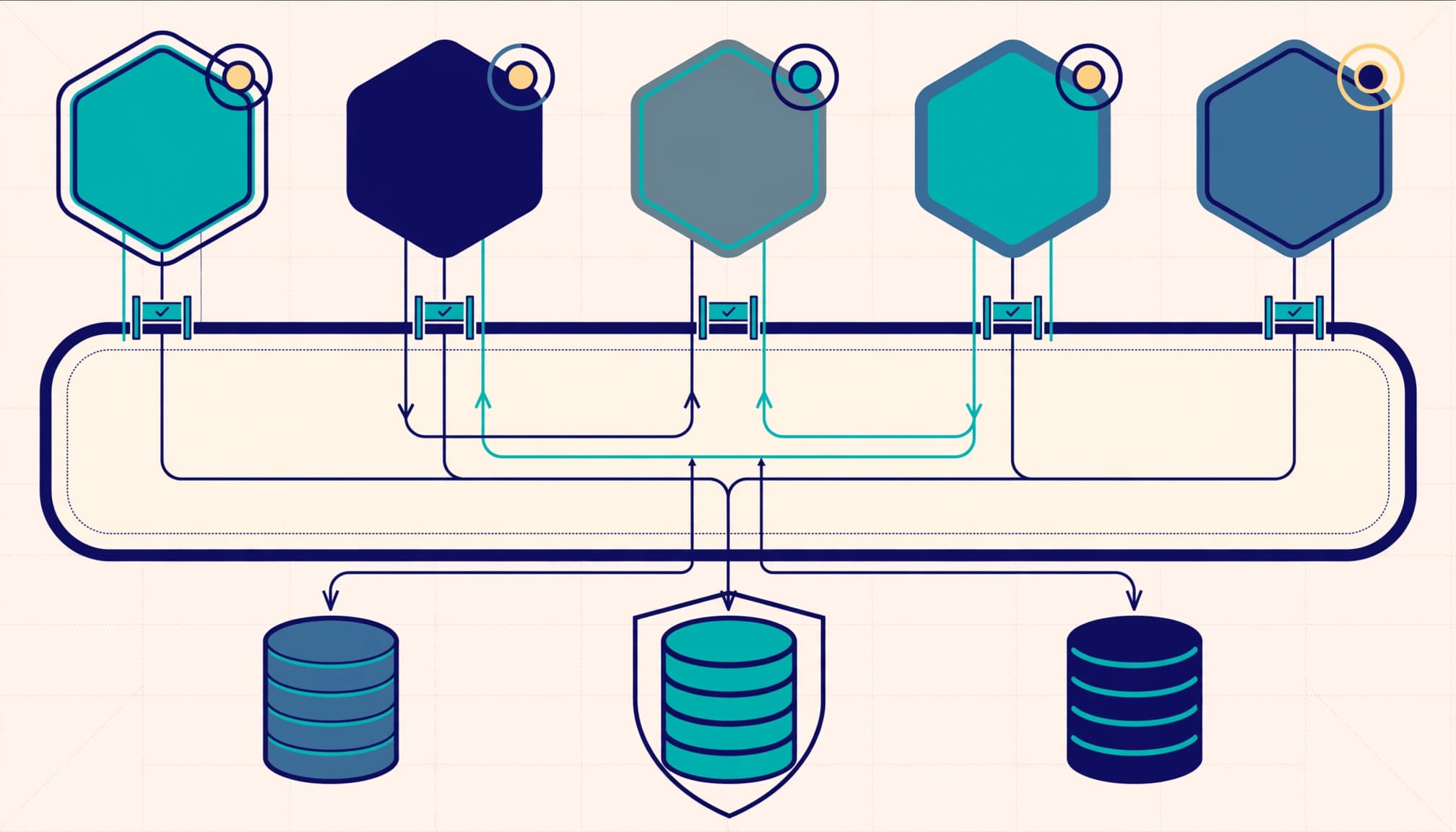
Treat Microsoft Agent 365 as a governance and control plane, not an agent runtime. It supports agent oversight, but it doesn't replace execution services or secure agent architecture automatically.
Microsoft's Agent 365 product guidance describes per-user licensing and recommends coverage for people who interact with, own, manage, or sponsor managed agents. Don't assume this guidance requires a license for every discovered agent.
I require two operating rules that together define the operating model. The publishing rule assigns an accountable owner to every published agent. The connection rule defines which connections are permitted by default and which require approval.
For each AI agent, record its agentic identity, data sources, permissions, tools, business purpose, and support owner. Reconcile supported inventory with independently maintained records; discovery coverage alone doesn't establish completeness.
Remove agents without an owner or continuing use, and ensure contractor-built agents retain an owner after the contractor leaves. Include Microsoft Purview data protection, Microsoft Entra ID Protection, and Agent 365 oversight in AI governance. Document who investigates unexpected activity.
Compare licensing against the assigned baseline
Microsoft's US enterprise list pricing lists E7 at $99/user/month, paid yearly. That covers the subscription only. Azure compute, model, and message consumption bill separately.
Compare the proposed population with its assigned baseline: E3, E5, or E5 plus standalone Copilot. An E3 comparison includes adopting E5-level controls; an E5 comparison starts with capabilities already owned. A value assessment should focus on the capabilities the organization will use. The cost/value decision should weigh incremental subscription cost against those capabilities and operational responsibilities.
Licensing readiness starts by reconciling assigned subscriptions, renewal dates, overlapping entitlements, and services that can actually be retired. An entitlement can't count as both retained coverage and an eliminated expense. Region, agreement terms, and existing commitments affect the commercial comparison.
Assume mixed licensing. Assign E7 where Copilot, advanced identity capabilities, and agent governance apply to the same people. Keep other users on suitable existing subscriptions.
Separately assign consumption ownership, spending alerts, and expansion approval. Include support effort and implementation dependencies in the operating plan. The bundle doesn't remove those responsibilities.
Require a handoff that the operating team can use
I start with scoped, read-only discovery. Define the tenant, Mac population, repositories, agent workloads, evidence access, and exclusions before collection begins.
The readiness assessment should contain an E7 readiness report, an evidence-backed gap register, a baseline comparison, and a sequenced adoption recommendation. Keep discovery separate from production changes.
Use explicit release conditions rather than a general readiness score.
| Review area | Evidence required | Release condition |
|---|---|---|
| macOS management | Reconciled inventory and deployment results | Missing coverage has an owner and approved treatment |
| Identity access | Sign-in results and exception register | Intended access works and prohibited access is blocked |
| Data and agents | Permission tests and ownership records | Approved sources, connections, and accountable owners are documented |
The table establishes acceptance criteria. Each readiness gap needs a business impact, responsible owner, target date, and evidence of closure.
Our Microsoft 365 migration and licensing services connect that readiness work to licensing and implementation decisions. Your team should finish with documented dependencies and procedures it can support, rather than another presentation requiring explanation.
Key takeaways
- Reconcile Mac enrollment, protection, and access evidence before expanding AI access.
- Approve repositories and agent connections through named owners with documented operating rules.
- Compare E7 against assigned licenses and observed use, then release changes only when acceptance conditions are met.
Frequently asked questions
Should the commitment term be selected before the pilot?
Do not prescribe a one-year or three-year term before establishing the adoption path. Map renewal dates, implementation dependencies, and approved user groups first. The commitment should follow the deployment decision, rather than force it.
When is a full readiness engagement unnecessary?
A full engagement adds little when the Mac inventory reconciles, access tests pass, ownership is documented, and proposed AI use remains limited. I would use a targeted licensing review or a specific control assessment instead. Match the work to the unresolved decision.
Does E7 replace E5 hardening work?
E7 includes E5; it does not configure the existing controls. Enrollment, endpoint protection, permissions, monitoring, and exception handling still require implementation and testing. Existing E5 evidence should carry forward into the review.
Approve the upgrade against operating evidence
Approve E7 when the Mac estate, access controls, repositories, and agent ownership support the intended work. Every unresolved finding needs an accountable owner and an explicit release decision.
The governing standard is verified protection, with a handoff your team can maintain.
Book a free 30-minute call to scope an E5-to-E7 macOS readiness review.