
E3 to E7 Migration: An Identity Remediation Plan

An E7 upgrade can increase your licensing bill while leaving the permissions that expose business data untouched. I recommend treating an E3 to E7 migration as an access-remediation project, with licensing changes following measurable security improvements.
The comparison baseline here is Microsoft 365 E3 moving to E7, not E5 or E5 plus standalone Copilot. Start by separating what the subscription adds from the work your tenant needs.
Key Takeaways
- Microsoft 365 E7 bundles Microsoft 365 E5, Microsoft Entra Suite, Microsoft 365 Copilot, and Microsoft Agent 365, but license assignment alone doesn’t configure stronger access policies.
- Treat an E3-to-E7 migration as an access-remediation project. Review identities, permissions, external access, devices, and application dependencies before broad deployment.
- Reduce standing privilege, test Conditional Access in report-only mode, and address oversharing before enabling Copilot.
- Use a representative pilot, validate access and workflows, and define rollback criteria for both licensing and configuration changes.
- E7’s $99 monthly per-seat price on an annual commitment covers licensing only. Budget separately for implementation, ongoing operations, and consumption-based services.
Define the upgrade boundary before buying
What E7 adds to Microsoft 365 E3
Microsoft 365 E7 bundles Microsoft 365 E5, Microsoft Entra Suite, Microsoft 365 Copilot, and Microsoft Agent 365 into one SKU. Microsoft announced general availability and CSP purchasing on May 1, 2026, in its E7 general availability announcement.
CSP purchasing materials describe annual subscriptions with monthly or annual billing and qualifying three-year offers. Monthly billing and monthly commitment aren’t interchangeable.
Published launch promotions included 10% or 15% off one-year terms and 15% off three-year terms with a 300-seat minimum. Rollout could be delayed, so I wouldn’t build an October business case around an uncontracted discount.
What stays outside the licensing change
An existing commercial tenant usually retains its mailboxes, SharePoint sites, and user identities during a license reassignment. However, new entitlements don’t automatically configure stronger access policies.
A 2019 Microsoft Tech Community discussion described Office 365 E3 to Microsoft 365 E3 as principally a license switch. That narrower precedent doesn’t establish that E3-to-E7 security remediation is equally simple.
I separate the same-tenant upgrade from an Office 365 migration involving mailbox transfers, tenant consolidation, or another cloud environment. Those require separate scope, scheduling, and recovery plans.
Assess the exposure that matters to the business
Inspect identities, permissions, and external access
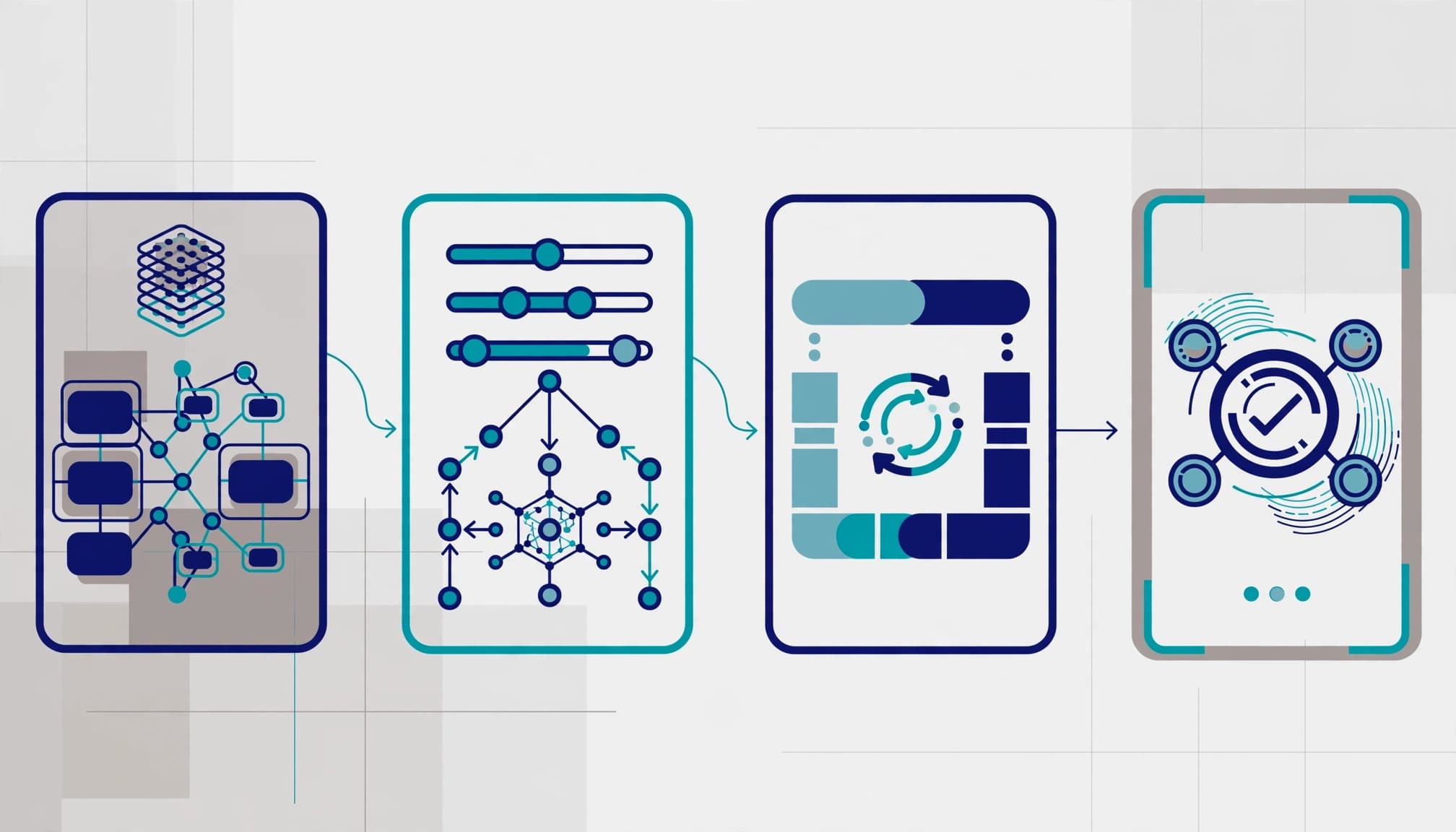
I’d begin with tenant configuration exports and sign-in evidence. Review eligible and active roles in Privileged Identity Management, authentication methods, and Conditional Access coverage. Check Identity Protection risk detections, service principals, application consent, and inactive accounts.
Guest and external access deserve separate attention. Use identity governance and access reviews to confirm who sponsors each guest, which resources they can reach, and whether their access still has a business purpose.
For hybrid identity, review Microsoft Entra Connect configuration, synchronization errors, privileged on-premises accounts, and recovery dependencies. Otherwise, cloud hardening can leave an overlooked administrative path through Active Directory.
The output should connect each finding to data leakage, audit findings, insurance-renewal evidence, or operational disruption.
Map devices and application dependencies
Endpoint security and device hardening belong in the assessment because access decisions depend on device signals. Review Intune enrollment, compliance policies, Defender coverage, patching, and unsupported devices.
Also inventory cloud infrastructure, single sign-on applications, shared workstations, and service accounts. Data center technology dependencies can affect authentication even when Microsoft 365 itself remains available.
For small-business IT teams, this dependency map prevents policies from interrupting essential workflows. Restaurant POS support systems and shared kitchen technology, for example, need explicit treatment if they depend on tenant identities.
Remediate privileged access before broad deployment
Replace standing privilege with controlled activation
I recommend separate administrative identities, least-privilege roles, and time-limited activation through Privileged Identity Management. Define approval requirements, activation duration, and the evidence administrators must provide.
The licensing distinction matters: Microsoft 365 E5 supplies Entra ID P2 capabilities, including PIM and Identity Protection. Entra Suite adds further identity governance and access capabilities; these controls still require configuration.
Microsoft’s identity governance licensing requirements explain prerequisites and coverage. License assignment alone doesn’t establish identity governance, including approvals, access reviews, or account-lifecycle ownership.
Emergency access accounts need a documented purpose, monitoring, and tested recovery procedures. They shouldn’t become routine administrator accounts.
Introduce Conditional Access without causing downtime
Start policy changes in report-only mode. Then review sign-in results across administrators, remote workers, guests, and business applications before enforcing them.
Prioritize stronger administrator authentication, legacy authentication restrictions, and device-based access where supported. Use Identity Protection risk signals to define policy responses instead of copying broad settings into production.
Exceptions need an owner, business justification, and expiration date. Otherwise, temporary exclusions become permanent exposure.
A successful policy rollout needs evidence that approved work still succeeds and prohibited access fails. An enabled policy alone proves neither.
This approach supports business continuity and security without accepting avoidable productivity loss.
Prepare business data before enabling Copilot
Reduce oversharing and establish data controls
Data readiness should precede Copilot adoption. Prepare for deployment with data governance, sensitivity-label configuration, oversharing remediation, and user training. Existing permissions can make information available more broadly than business owners intended.
Review high-risk SharePoint sites, broad sharing links, external collaboration, and sensitive repositories first. Then document who approves access and how departed employees lose it.
Microsoft’s Copilot licensing guidance addresses subscription eligibility. Licensing eligibility doesn’t demonstrate that your information architecture is ready.
I’d include data loss prevention policies, audit configuration, and practical user guidance within the approved scope. Training should cover acceptable use and reporting unexpected access.
Treat Agent 365 as governance, not runtime
Microsoft describes Agent 365 as a governance and security control plane for observing and governing AI agents; it doesn’t build or run them.
E7 and Agent 365 reached general availability. However, several security capabilities, including runtime threat protection, were public preview at the May 2026 launch. That historical preview status shouldn’t be presented as a complete October capability inventory.
I’d label each proposed control GA or public preview in the implementation register. Verify runtime threat protection’s current status before making it a production acceptance criterion. Preview controls shouldn’t carry that requirement without an approved exception.
Inventory, ownership, permitted resources, and retirement procedures for AI agents need assigned owners.
Execute the E3 to E7 migration in controlled waves
I recommend a pilot that includes administrators and representative business users. Choose participants whose workflows cover managed devices, remote access, external collaboration, essential applications, and Copilot adoption.
- Record the baseline. Export license assignments, service-plan settings, relevant policies, and application dependencies. Document renewal dates and group-based licensing rules.
- Prepare the pilot. Assign E7 through the agreed licensing method and review assignment errors. Preserve required services throughout the transition.
- Validate entitlements and access. Verify administrator activation and approved access in Privileged Identity Management. Test Outlook, Teams, SharePoint, OneDrive, application sign-in, device compliance, and approved Copilot workflows.
- Remove redundant E3 assignments. Do this after confirming replacement entitlements and resolving group-based licensing conflicts.
- Expand through approved waves. Use documented acceptance results, user communications, support coverage, and rollback criteria.
The rollback plan must address configuration changes as well as licensing. Removing E7 won’t necessarily undo an enforced access policy.
I would stop a wave for unexplained sign-in failures, missing application access, or unexpected exposure of sensitive information. Assign an owner to each incident and resolve it before expansion.
Schedule enforcement around business operations rather than subscription availability. A renewal deadline can guide purchasing, but it shouldn’t replace operational approval.
Compare licensing with the full operating cost

Microsoft’s enterprise plans and pricing lists a monthly per-seat price of $39 for E3, $60 for E5, and $99 for E7 on annual commitments.
The $99/user/month covers licensing only. Azure compute, model, and message consumption bill separately, so consumption costs vary by workload. Copilot Studio capacity and Security Copilot overages need separate budgets. Microsoft Foundry usage is billed separately as well.
For 300 users, the undiscounted comparison is:
| Licensing option | Monthly licensing | Annual licensing |
|---|---|---|
| Microsoft 365 E3 baseline | $11,700 | $140,400 |
| Microsoft 365 E5 reference | $18,000 | $216,000 |
| Microsoft 365 E7 target | $29,700 | $356,400 |
E3 to E7 therefore adds $18,000 monthly in licensing for this seat count. That $60 per-seat price increase should be weighed against implementation and operating costs. E5 is a reference option, not the baseline.
Microsoft’s 2026 packaging and pricing FAQ addresses the July 1 pricing changes. Comparing against older E3 pricing would distort the decision.
Launch-era Copilot Studio capacity packs started at $200 monthly for 25,000 messages. One pack would bring the illustrated monthly amount to $29,900 before other consumption and services. Actual consumption costs vary by workload, so this arithmetic isn’t a usage estimate.
Pilot sizing should test Copilot Studio message demand and Microsoft Foundry compute and model usage. Set workload-based budgets for Security Copilot overages before deployment.
I’d also compare E3 or E5 plus selected add-ons. Include remediation labor, training, ongoing cloud management, consumption alerts, and projected usage for Copilot Studio, Microsoft Foundry, and Security Copilot in every option.
Require evidence and usable client deliverables
Define the implementation limits
A statement of work should name the tenant, licensed population, applications, device groups, policies, and agent workloads covered. It should also state who approves changes.
I would distinguish configuration work from application redevelopment, agent development, infrastructure optimization, and broad data cleanup. These can support secure cloud architecture, but they need their own effort estimates. Record preview or GA status and acceptance boundaries for runtime threat protection and other agent workloads.
Acceptance criteria should connect technology consulting to observable outcomes: controlled privileged access, tested authentication, reduced oversharing, and supported user workflows. A higher Secure Score alone isn’t sufficient.
Make the handoff operational
The client should receive a prioritized findings register, license comparison, policy design, implementation record, and validation evidence. The register should document identity governance owners, approved exceptions, and access-review responsibilities, along with unresolved risks and a recovery runbook.
Executive reporting should show what changed, what remains exposed, and who owns the next decision. Operators need configuration details and support escalation paths.
Ongoing management should cover account changes, monthly security reviews, policy updates, and Secure Score monitoring. These responsibilities support managed IT for small businesses without hiding operational ownership behind a subscription.
At RVA Tech Visions, Microsoft 365 configuration, security hardening, licensing optimization, and ongoing support fit that operating model.
Decide when outside remediation is worth the investment
I recommend E7 evaluation when at least two conditions apply: meaningful Copilot adoption is expected within six to twelve months, identity governance gaps need attention, or agent governance is expanding. An established E5 deployment is another favorable indicator, but it isn’t the baseline analyzed here.
Organizations already on E5 with strong identity hygiene have a shorter readiness path. An E3 organization may need foundational endpoint and access work first.
The engagement isn’t worth a broad scope when your internal team already has tested controls and needs only license reassignment. E7 may also be poor value when Copilot adoption is limited or agent governance has no near-term use.
For an IT strategy serving SMBs, targeted cybersecurity services can be a better investment than an organization-wide bundle. I would prioritize demonstrable risk reduction over a digital transformation label.
Frequently Asked Questions
What does Microsoft 365 E7 add to Microsoft 365 E3?
E7 bundles Microsoft 365 E5, Microsoft Entra Suite, Microsoft 365 Copilot, and Microsoft Agent 365. The added entitlements don’t automatically configure access policies or identity governance.
What should an organization assess before moving from E3 to E7?
Review privileged and active identities, authentication methods, Conditional Access, external access, devices, and application dependencies. Connect findings to business risks such as data leakage, audit findings, or operational disruption.
Does assigning E7 automatically secure access or prepare data for Copilot?
No. Configure controls such as Privileged Identity Management and Conditional Access, and address permissions, oversharing, sensitivity labels, and user training before enabling Copilot.
How should an E3-to-E7 migration be rolled out?
Start with a pilot that includes administrators and representative business users, then validate entitlements, access, devices, applications, and approved Copilot workflows. Expand in controlled waves with documented acceptance results and rollback criteria for both licensing and configuration.
What costs should be included in an E7 budget?
E7 is listed at $99 per seat per month on an annual commitment, and that price covers licensing only. Budget separately for implementation, ongoing management, Azure compute and model use, Copilot Studio capacity, and Security Copilot overages.
Start with readiness, not a purchase order
An E3 to E7 migration earns its value when stronger licensing becomes tested access control. The subscription, remediation work, and operating budget need separate decisions.
I recommend starting with a readiness assessment or licensing review before committing to deployment. RVA Tech Visions offers a free Microsoft 365 assessment to identify configuration gaps and right-size the next step.