
Azure Agent Runtime Readiness Beyond Microsoft 365 E7
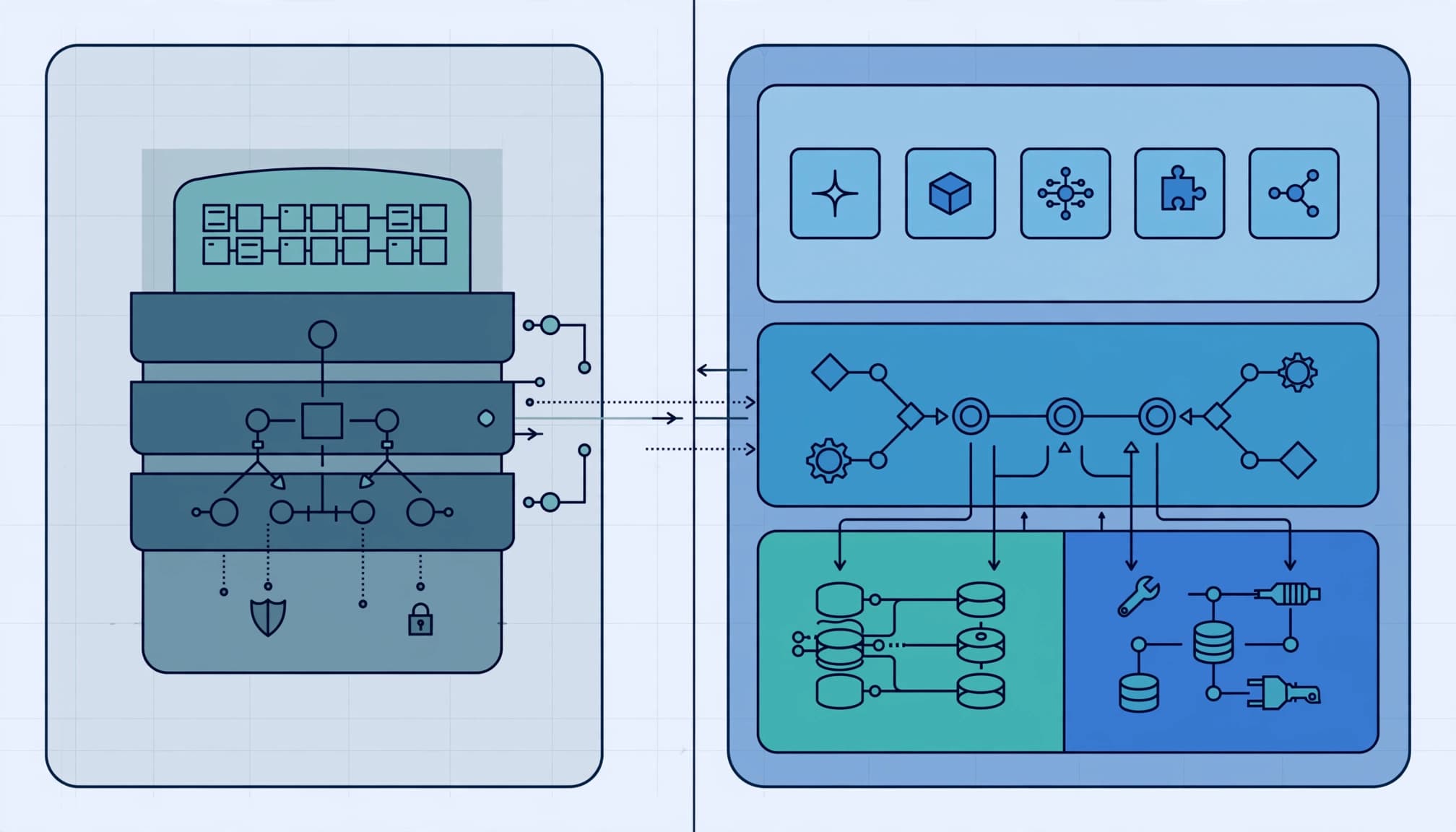
Keep the Azure agent runtime deployment separate from the Microsoft 365 E7 licensing decision. E7 supplies licensed capabilities, including Agent 365 governance; Azure still needs an approved execution environment, permissions, network paths, and an operating owner.
I treat those as separate approval decisions because a license assignment cannot establish a workload's security boundary. Start by identifying what governs the agent, what runs it, and who takes responsibility when either layer fails.
Key takeaways
Agent 365 is a governance and control plane, not runtime capacity. Azure readiness requires its own identity, infrastructure, testing, and support decisions.
For new deployments, use the generally available Microsoft Foundry Agents Service. Keep classic-agent instructions clearly separated: agents (classic) retire on March 31, 2027, and their SDK examples are migration references rather than the starting point for a new production design.
Separate E7 governance from Azure execution
Agent 365 governs the agent estate
Agent 365 is generally available and provides oversight for discovering, governing, securing, and managing agents. Its presence doesn't establish that every agent has appropriate permissions or an approved data path.
I start with an accountable business owner, authorized connections, and an exception process. The E7 tenant architecture review places those decisions alongside the tenant's identity and information-protection controls.
Foundry provides the execution environment
Microsoft Foundry Agents Service is the official product name. Foundry Agent Service describes its runtime role, handling agent execution, including conversations, tool calls, and lifecycle. Your application still depends on model deployments, connected systems, and the identities authorized to use them.
Draw those dependencies separately from the governance plane. Otherwise, an architecture diagram can hide the service that reads sensitive information or changes a business record.
Compare licensing against the existing baseline
Name the starting point before comparing bundles: Microsoft 365 E3, Microsoft 365 E5, or E5 plus standalone Microsoft 365 Copilot. Those baselines have different gaps.
For E3, assess the security and identity capabilities required alongside agent governance. For E5, identify which additional capabilities will be used. For E5 plus standalone Copilot, compare the remaining Entra Suite and Agent 365 requirements against E7.
As of October 2026, Microsoft's Microsoft 365 E7 enterprise page lists a US annual-commitment list price of $99/user/month. That covers licensing only; Azure compute, model, and message consumption bill separately.
Keep licensing, implementation, consumption, and ongoing management as separate lines. Microsoft's Foundry cost-management guidance supports the consumption forecast. My Microsoft 365 migration and licensing services address the subscription and tenant decisions without treating the bundle as an infrastructure plan.
Define the Azure agent runtime deployment boundary
Approve the identity and data paths before granting access to business systems. I would make both visible in the deployment diagram.
Assign execution identity and access ownership
Separate the person provisioning resources from the identity running the workload. Use managed identity where supported, and grant production access to that identity rather than leaving execution dependent on a builder's account.
Name the person approving each tool connection. Test an authorized operation, a denied operation, and access after the builder's permissions are removed. Endpoint security and device hardening still matter because compromised administrator devices can expose deployment credentials.
Choose state ownership and network paths
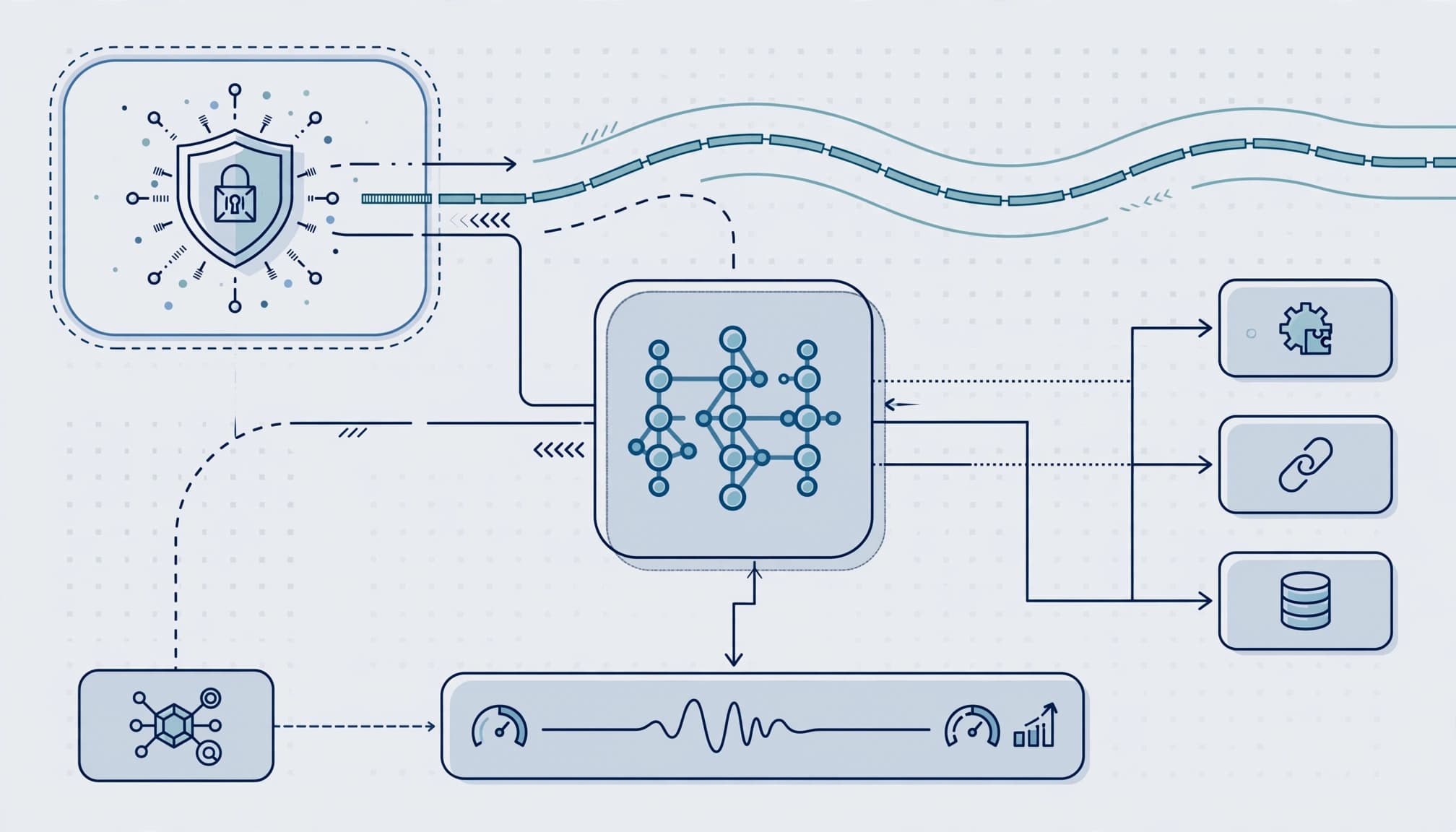
Basic setup uses Microsoft-managed agent-state resources. Standard setup connects customer Azure resources, including Azure Storage for files, Azure Cosmos DB for conversation history, and Azure AI Search for vector stores. The required resources depend on the selected design.
Map DNS, outbound access, private connectivity where supported, and the systems each tool can reach. Do not assume that protecting the Foundry endpoint also protects a connector's destination. Secure cloud architecture needs boundaries around both.
For business continuity, document what happens when a model, connection, or downstream application is unavailable. An unattended retry loop can extend an outage into a business process.
Keep classic agents out of new production designs
Microsoft's classic Foundry quickstart, referenced here in October 2026, marks agents (classic) as deprecated and sets retirement for March 31, 2027. It directs new work to the generally available Microsoft Foundry Agents Service. Use Foundry Agent Service for new deployments.
Treat material on deprecated agents classic deployments as migration reference only.
Identify the classic project and permission model
The classic quickstart requires Foundry Account Owner at subscription scope, or Contributor or Owner at subscription level, to create the account and project. The agent creator then needs Foundry User at project scope.
Its minimum required permissions are agents/*/read, agents/*/action, and agents/*/delete. Keep subscription provisioning authority separate from routine agent work.
The renamed roles are Foundry RBAC roles that replaced Azure AI User, Azure AI Owner, Azure AI Account Owner, and Azure AI Project Manager. Role IDs and core permissions remained unchanged. A familiar role ID does not mean its scope is appropriate.
Treat automatic provisioning as a starting point
The documented classic provisioning flow deploys a gpt-4o model, creates a default agent with the code interpreter tool, and opens the agent playground. That behavior belongs to this classic quickstart, not every Foundry deployment. If you create an agent manually, don't assume it will use these defaults.
Record the generated resources and model deployment before proceeding. A working playground proves that a request can execute. It does not prove that data access, failure handling, or operational ownership is ready.
Connect the project before running SDK code
Starting in May 2025, the documented Foundry project endpoint replaced the connection string used by hub-based projects. Its format is https://<AIFoundryResourceName>.services.ai.azure.com/api/projects/<ProjectName>.
In the classic Foundry portal, find the project endpoint in the overview under Libraries > Foundry. Find the model deployment name under Models + Endpoints. Use the deployment name, which can differ from the underlying model name.
Set PROJECT_ENDPOINT and MODEL_DEPLOYMENT_NAME as application settings, each in an environment variable. Begin local setup with az login, select the intended Azure subscription, and use DefaultAzureCredential for the SDK authentication flow.
The classic documentation states that a hub-based project can't use its current SDK and REST API versions. Repeated authentication attempts won't resolve a project-type mismatch for a hub-based project.
I would review endpoint type, SDK generation, tenant, subscription, and role scope together before changing permissions. Microsoft's Foundry SDK and endpoint guidance separates the supported development paths. Pin dependencies to the selected service generation.
Run the classic sample as a migration reference
Use the classic quickstart to create an agent and check its code interpreter workflow with gpt-4o. The package pairs below describe that sample, not a current-service compatibility matrix.
| Language | Classic sample packages |
|---|---|
| .NET | Azure.AI.Agents.Persistent, Azure.Identity |
| Python | azure-ai-projects, azure-identity |
| JavaScript | @azure/ai-agents, @azure/identity |
| Java | azure-ai-agents-persistent 1.0.0-beta.2, azure-identity 1.17.0-beta.1 |
The Java versions are beta packages, not GA dependencies. Don't carry them into a production standard simply because the sample executes.
The sample's sequence provides a useful functional test:
- Create an agent with
CodeInterpreterTool, agent instructions, and an agent thread. - Post a request to graph a line with slope 4 and y-intercept 9.
- Start an agent run with additional instructions addressing the user as Jane Doe with a premium account.
- Poll until the run reaches a terminal state, then inspect completion, errors, messages, and generated image files.
- Delete the thread and agent during cleanup.
The Jane Doe instruction demonstrates per-run context. It must not become a trusted authorization claim; premium-account access belongs in authenticated application logic.
Keep .env files out of version control. Treat committed credentials as compromised and rotate them. Removing the file from the latest commit doesn't remove credentials from repository history.
Require a release decision and an operating handoff
A readiness engagement should end with evidence your team can operate, not a diagram without operating instructions. I would scope the assessment around existing Azure subscriptions, resource ownership, identities, model deployments, connections, network dependencies, and support coverage.
The client should receive an architecture diagram, a permissions matrix, test results, and a prioritized remediation plan. Include named owners, unresolved exceptions, rollback conditions, and a runbook for disabling tool access without losing necessary investigation records.
Connect those operating rules to an AI agent governance charter. Data leakage, audit findings, insurance-renewal questions, and downtime each need an accountable decision-maker.
Outside help is worthwhile when agents cross system boundaries, use privileged tools, or support revenue-critical work. A broad engagement is not worthwhile for an isolated synthetic-data experiment with no production connections. Keep that review narrow.
For a small IT team, cloud management succeeds when the handoff is executable by the people who remain responsible after deployment.
Frequently asked questions
Does E7 make an Azure subscription production-ready?
No. E7 does not provision the workload's complete cloud infrastructure or approve its access. Azure readiness still requires resource ownership, execution identity, network design, dependency testing, and recovery procedures. Agent 365 governance sits alongside that work.
Should classic agents remain part of a new deployment?
Use the generally available Microsoft Foundry Agents Service for new production designs. Classic agents retire on March 31, 2027. Existing classic implementations need an inventory of agents, tools, data connections, and application dependencies before replacement work is scoped.
Approve the workload, not just the license
An agent is ready when its access is tested, its dependencies are documented, and someone owns its operation. Keep governance approval and runtime approval separate, then require evidence for both.
The necessary work is a deployable design and a usable handoff.
Book a free 30-minute call to scope an Azure agent readiness assessment.